Destinations
A destination is a target URL that receives events forwarded from an endpoint. Each endpoint can have multiple destinations, and every incoming event produces one delivery per enabled destination.
Managing destinations
Destinations are managed from within an endpoint. Open an endpoint and go to its Destinations, then New destination (/dashboard/endpoints/<endpointId>/destinations/new).
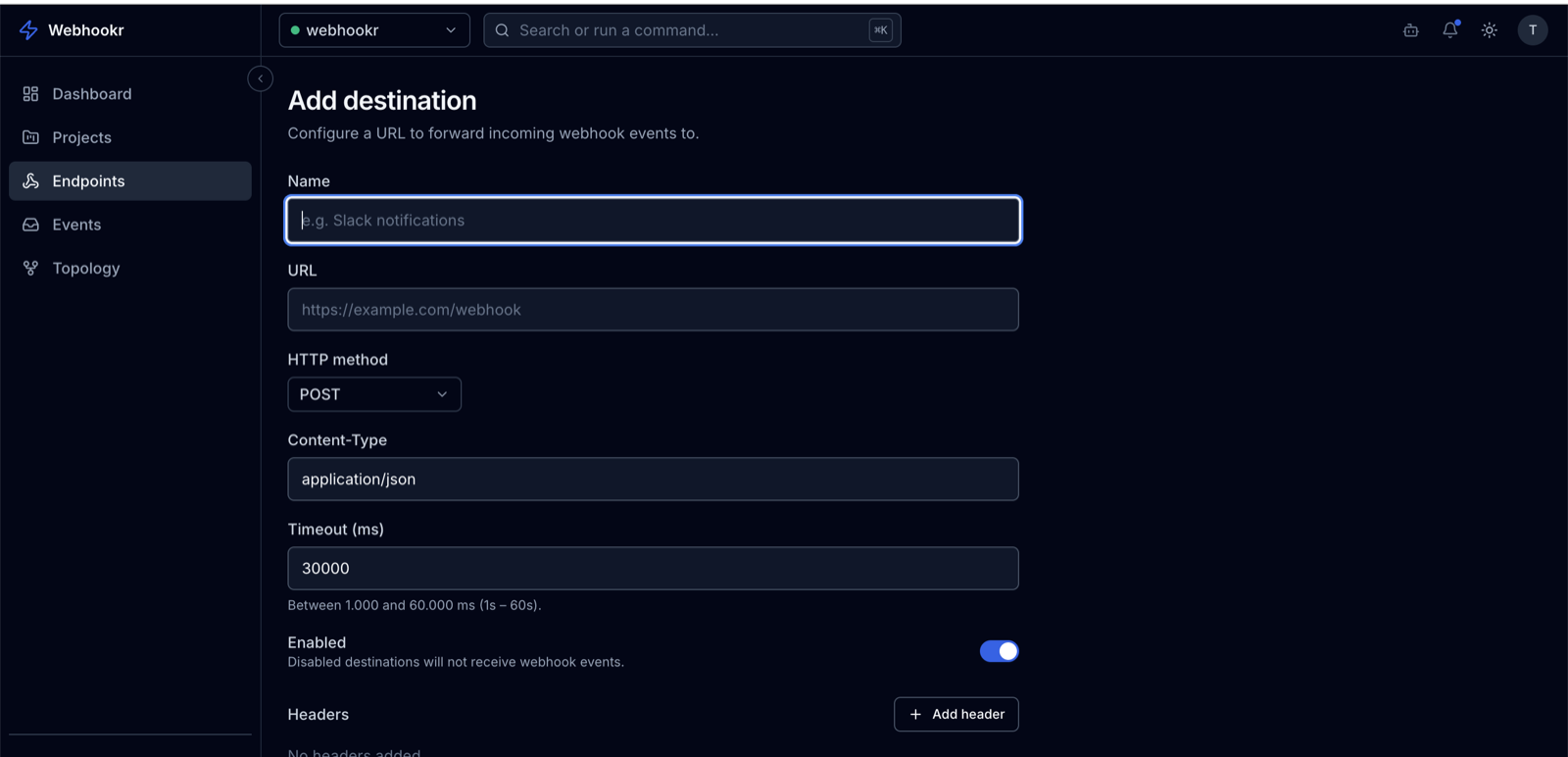
Fields
| Field | Required | Default | Notes |
|---|---|---|---|
| Name | Yes | — | A label, up to 100 characters. |
| URL | Yes | — | The HTTPS address that receives the event. |
| Method | No | POST | One of GET, POST, PUT, PATCH, DELETE. |
| Headers | No | — | Custom headers sent with every delivery (up to 20). |
| Content-Type | No | application/json | Sent as the Content-Type request header. |
| Timeout | No | 30000 ms | Per-request timeout, between 1000 and 60000 ms. |
| Enabled | No | true | Only enabled destinations receive deliveries. |
Enabled vs. disabled
The isEnabled flag controls whether a destination participates in delivery:
- Enabled — receives a delivery for every event the endpoint records.
- Disabled — skipped. No deliveries are created for it.
Disable a destination to temporarily stop forwarding without losing its configuration. Edit it at /dashboard/endpoints/<endpointId>/destinations/<destinationId>/edit.
How delivery works
When an endpoint records an event, Webhookr creates one delivery per enabled destination and sends the event using that destination's method, headers, content type, and timeout. The result — response status, response body, and duration — is stored on the delivery.
A delivery is SUCCESS when the destination responds with a 2xx status. Any non-2xx response, connection error, or timeout marks it FAILED.