Events
An event is a single incoming HTTP request that an endpoint received and stored. Events are the canonical record of what a provider actually sent — Webhookr keeps the full payload and headers so you can inspect or replay them later.
Events list
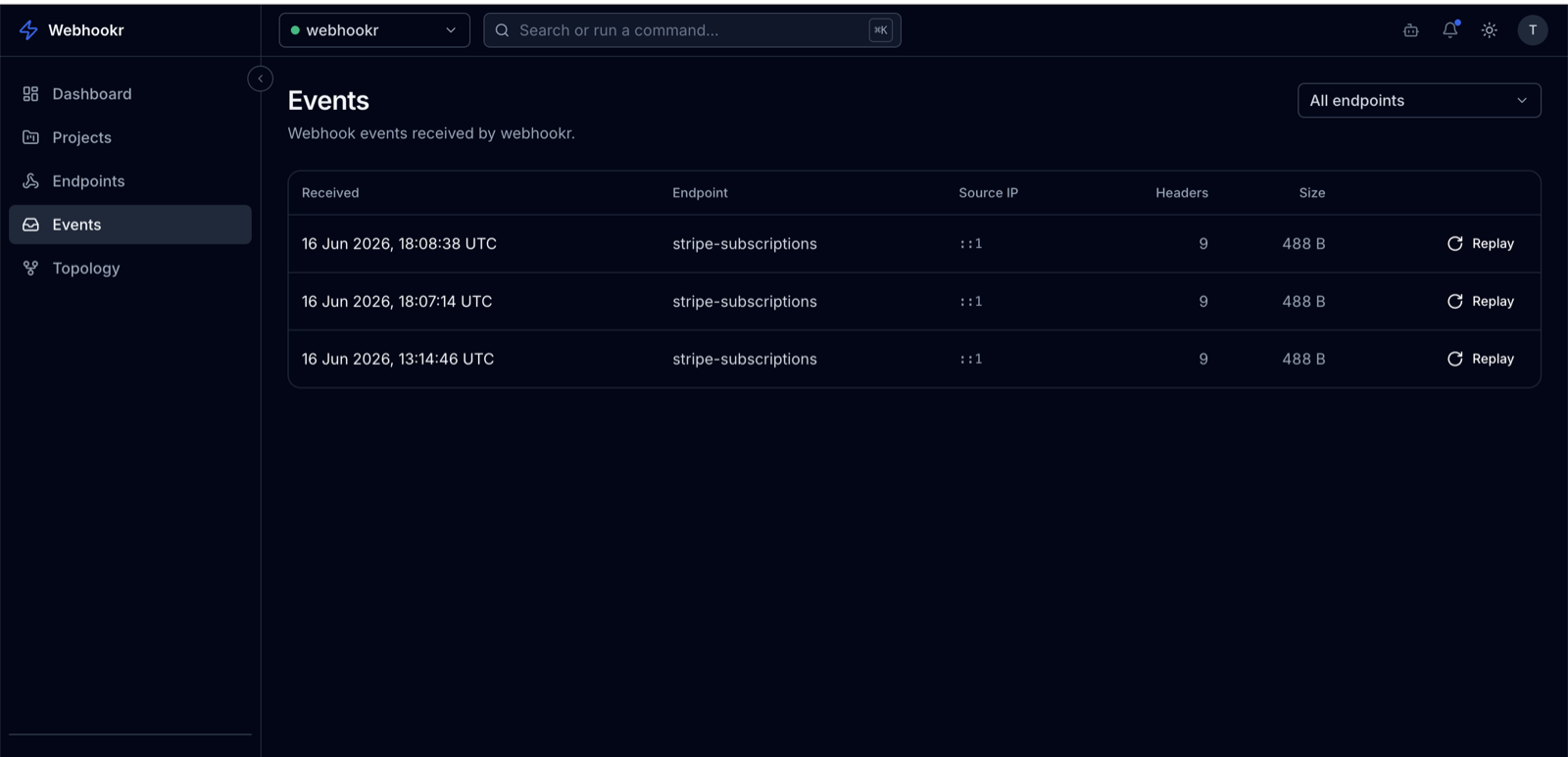
Events (/dashboard/events) shows recent events for the selected project. Pick an endpoint to filter to its events. Each row summarizes the event — method, time received, and delivery outcome.
Event detail
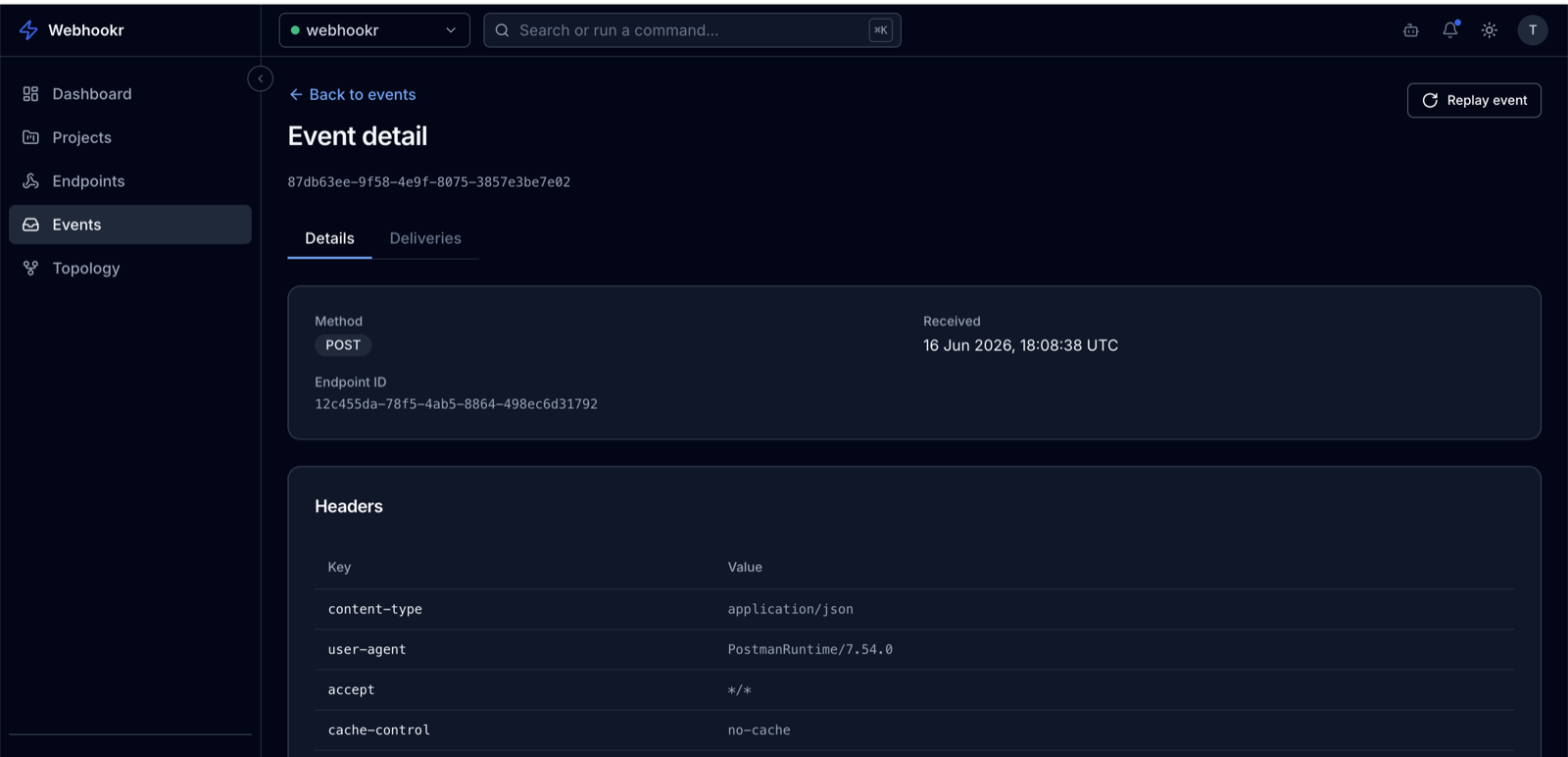
Open an event (/dashboard/events/<endpointId>/<eventId>) to inspect everything Webhookr captured:
| Field | Description |
|---|---|
| Payload | The full request body, as received. |
| Headers | All request headers. |
| Method | The HTTP method used (POST, GET, …). |
| Source IP | The IP address the request came from. |
| User agent | The sending client's User-Agent. |
| Content-Type | The request's content type. |
| Received at | When the event was recorded. |
| Payload size / header count | Size of the body and number of headers. |
| Last replayed at | When the event was last replayed, if ever. |
Deliveries for an event
Each event lists its deliveries — one per enabled destination at the time the event was processed. For every delivery you can see:
- Status —
PENDING,SUCCESS, orFAILED. - Response status — the HTTP status the destination returned.
- Response body — what the destination responded with.
- Duration — how long the attempt took, in milliseconds.
Open a delivery (/dashboard/events/<endpointId>/<eventId>/deliveries/<deliveryId>) for the full request and response.
See Deliveries for the model and Delivery statuses for what each status means.
Replaying
From an event you can replay it — re-sending it to its destinations — or replay a single delivery. See Replay.